UPDATES

What's new in Bricklayer.

The biggest updates to Bricklayer Editor, newest first, each with a devlog video.

Devlog 2 thumbnail: a Roblox character on a beach, surrounded by AI agent logos, above the words "Your AI. Your game."

Video coming soon

Devlog 2Latest

Chat, any agent, side by side.

Chat is now the heart of Bricklayer Editor. Choose the agent for each chat, run several on one game at once, and build whole worlds while Studio stays in sync.

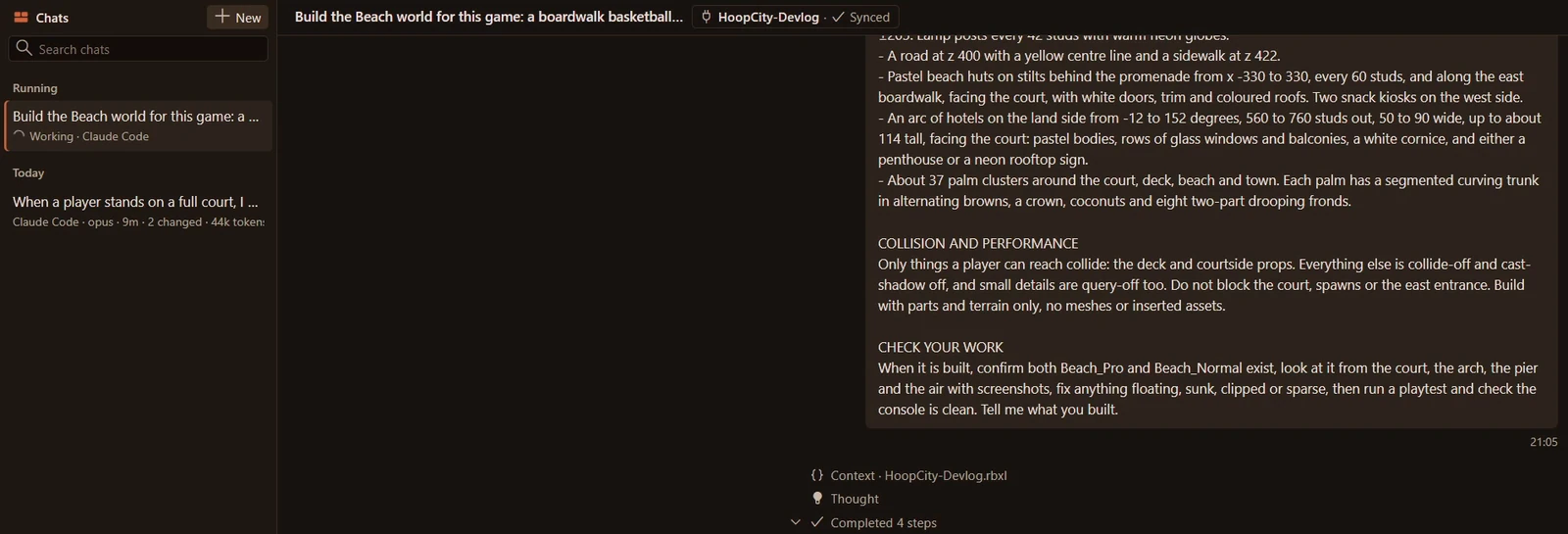
Bricklayer Chat in full-window mode. The chat list shows "Build the Beach world for this game" running with Claude Code, and the open chat shows the detailed build request for beach huts, hotels and palm trees, with the agent's first steps completed below it.
Chat in full-window mode while Claude Code builds the Beach world.
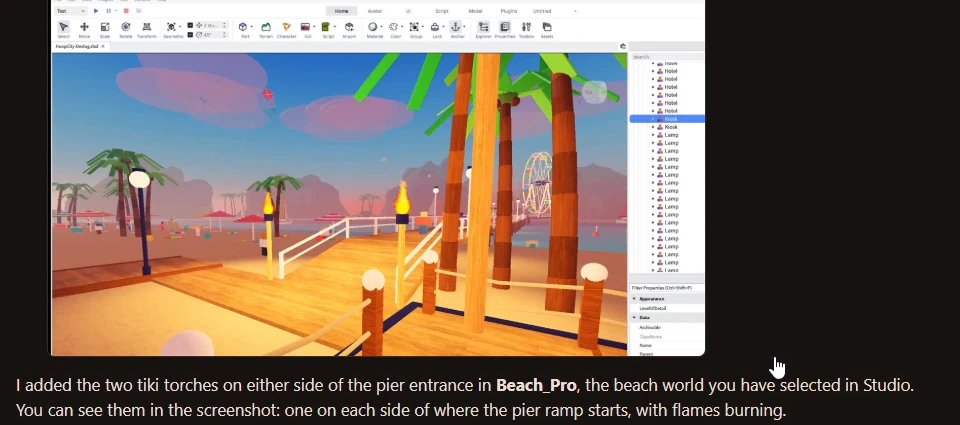
Claude Code's reply in Bricklayer Chat, with its own Roblox Studio screenshot of two lit tiki torches at the pier entrance, and its note that it added them in the beach world selected in Studio.
Claude Code checks its work with its own Studio screenshot.
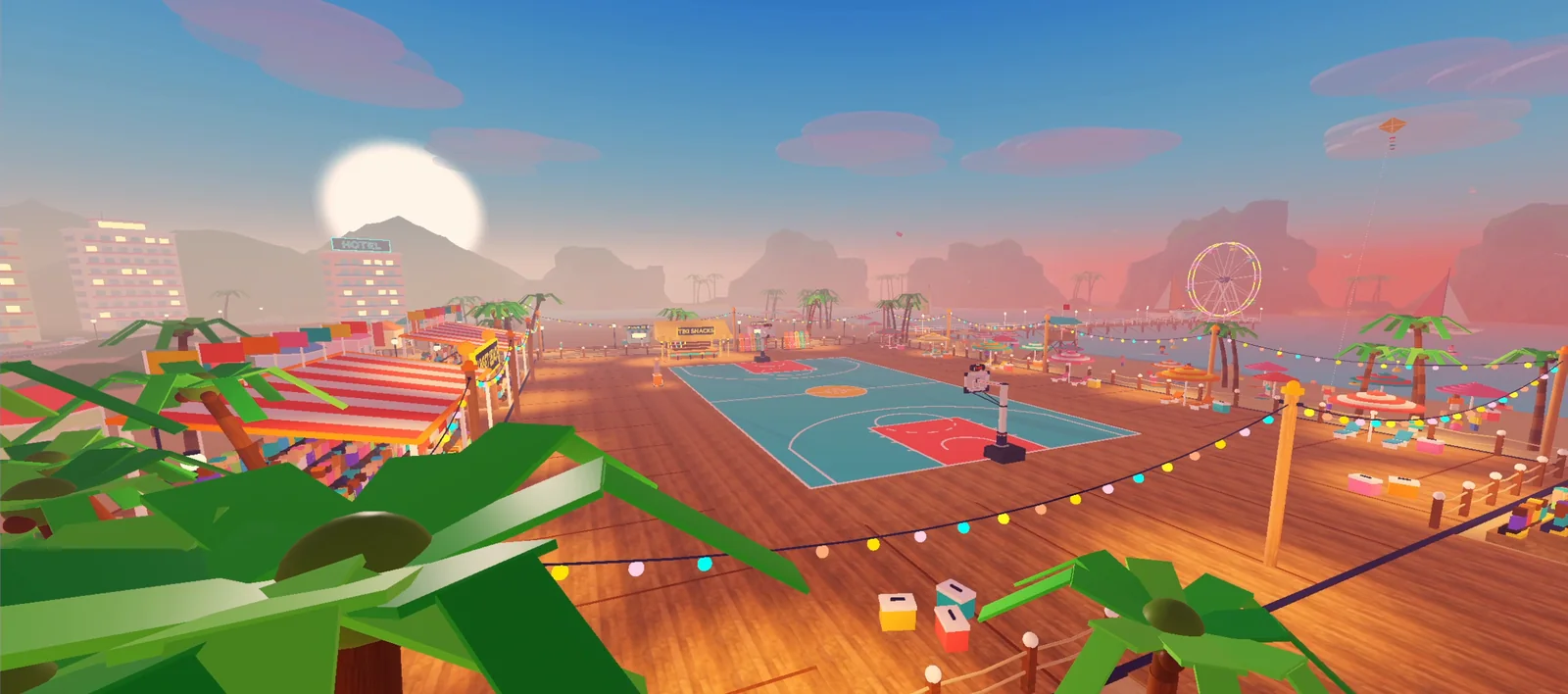
The finished Sunset Beach world in Roblox: a teal basketball court on a wooden boardwalk, with string lights, palm trees, striped kiosks, hotels and a Ferris wheel under a setting sun.
The finished Sunset Beach world.

Highlights

  • Build whole worlds in chat

    Describe what you want and your agent builds it. In the devlog, an agent builds a full beach world inside an existing game.

  • Any agent, side by side

    Pick the agent for each chat: Claude Code, Codex, opencode and more. Run several chats on one game at once.

  • Agents with subagents

    Agents can spin up their own subagents to take on parts of a bigger job.

  • Live sync with Roblox Studio

    Changes land in Studio while your agents work.

  • Agents playtest their work

    Agents playtest what they build, so they can check their own work.

  • Keep or Revert

    Review what an agent changed, then keep it or revert it.

  • @-mention your context

    Mention your Studio selection, scripts and output to show an agent exactly what you mean.

  • Chats saved in your project

    Every chat is saved as a plain file in your project.

  • Guided setup

    Get up and running in a few clicks.
Devlog 1 thumbnail: "Roblox animation, but easy."

Devlog 1

The Animation suite.

Roblox animation, made autonomous. Ask your agent for an animation: it writes it as a file in your project, reviews it, and stages it in Studio.

Watch Devlog 1 on YouTube (opens in a new tab)
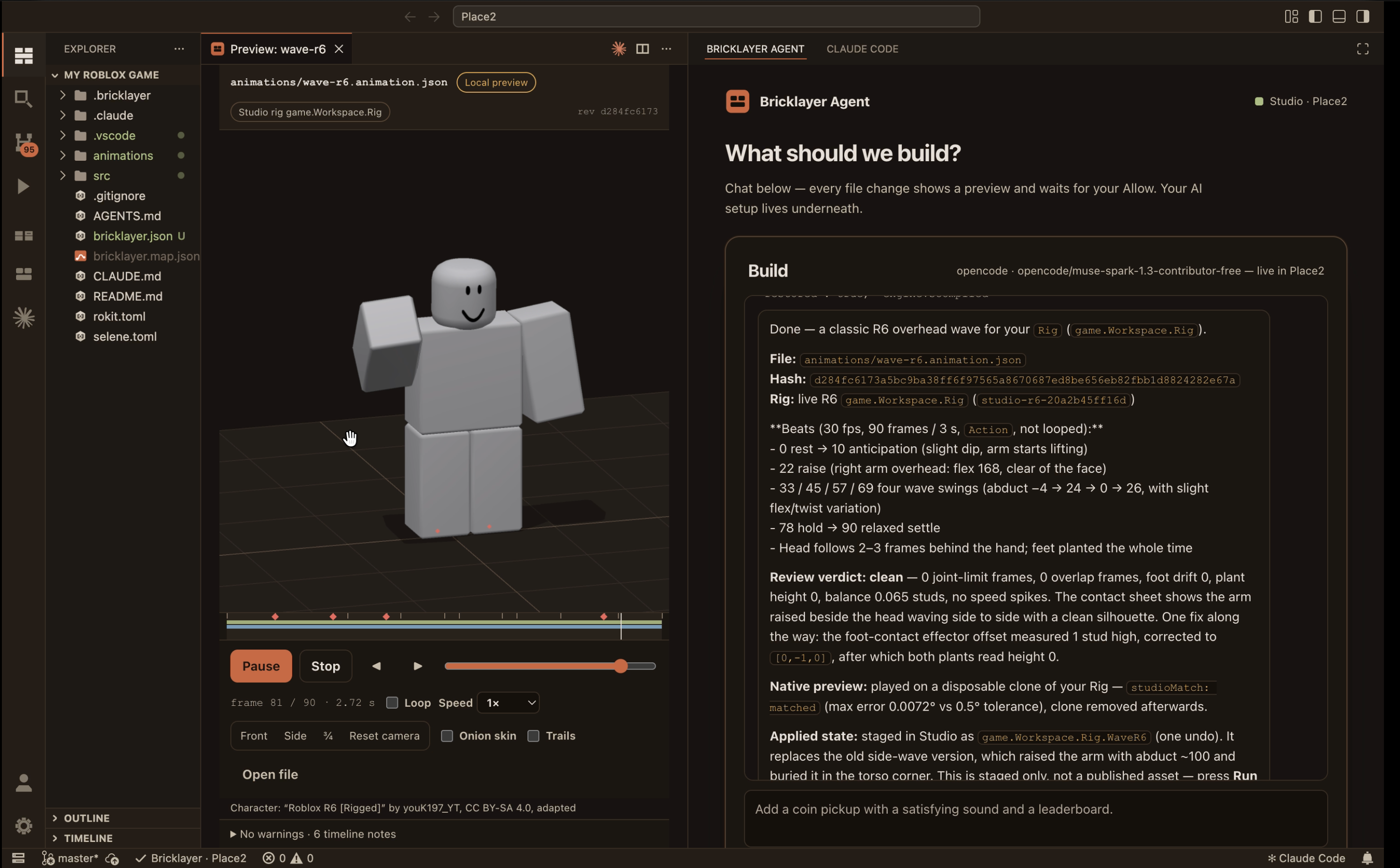
Bricklayer Editor previewing an R6 overhead wave on a grey Roblox character, with the Bricklayer Agent's clean review verdict beside it.
The animation preview, with the agent’s review beside it.

Highlights

  • Preview every frame

    Play animation opens a preview. Run, scrub and step through frames in front, side and ¾ views, with onion skin and trails.

  • A review that finds problems

    Spot feet through the floor, limbs through the body or a hitch at the loop, then click a problem to jump to it.

  • Detailed controls

    Tracks, a joint inspector, curves and a playback range.

  • Works with your rigs

    R15, R6 and custom Motor6D rigs.

  • Your AI gets Bricklayer’s tools

    Choose Claude Code or Codex under “Use an AI you already have” and it connects to Bricklayer, not just your files.

  • No pairing step

    Open a folder and your game in Studio. The editor mirrors whichever game Studio has open.

TRY IT YOURSELF

Get Bricklayer Editor.

Download the editor